 MotifSmith
Turn Any Photo into Pixel Art
Upload a photo or drawing, choose how many pixels across and how many colors, and download a crisp PNG. Free, no account, and the picture never leaves your browser.
Runs in your browser: the picture is not uploaded. Free, no account.
Pixel Art Examples: 16×16, 32×32, 64×64
Each image below is the converter’s own output from one of our gallery illustrations, with the original, actual output and settings. The inputs are AI-created illustrations; every output is computed by MotifSmith, not redrawn by an AI. Photos are shown on the bead tool page.
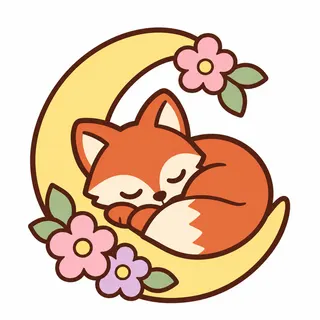
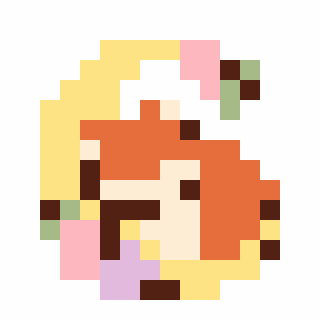
16 × 16 · 8 colors · auto · dithering off 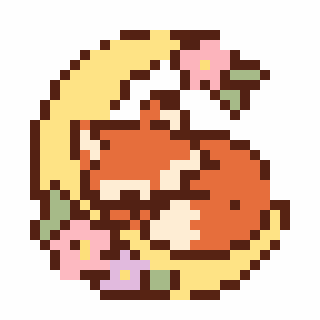
32 × 32 · 12 colors · auto · dithering off 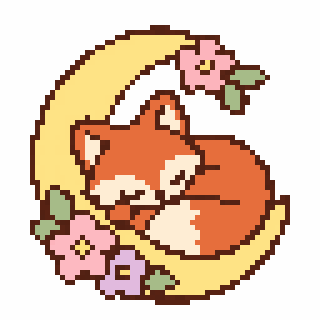
64 × 64 · 16 colors · auto · dithering off 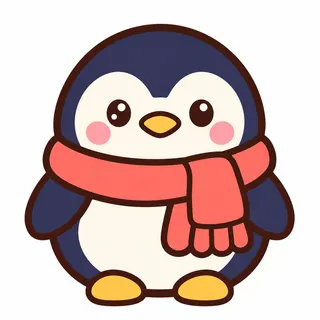
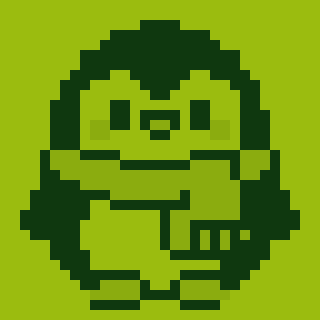
32 × 32 · 3 colors · gameboy · dithering off 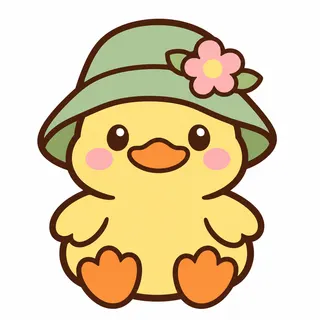
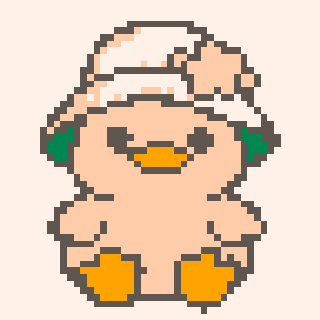
48 × 48 · 5 colors · pico8 · dithering off 
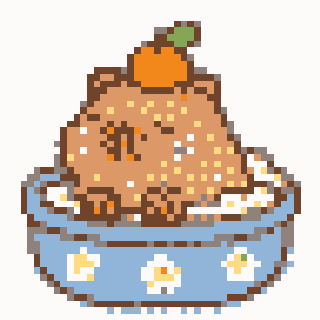
48 × 48 · 8 colors · auto · dithering on


How to convert a photo into pixel art
- Click Upload image, or drop a JPG, PNG or WebP under 20 MB on the box. GIF uses a still frame.
- Pick Pixel Size: 16 for an icon, 32 to 64 for detail, or 96 and 120 for larger work. Height follows the source proportions, within 5 to 120 pixels.
- Choose a palette: colors from the picture, the four Game Boy greens, or the 16 PICO-8 colors.
- Lower Colors for a flatter, more retro look.
- Download the PNG at 1×, 4× or 8×.
Why it looks clean, not blurry
Each pixel takes the color that fills most of its square instead of an average, so outlines stay one solid color rather than a ring of muddy in-between shades, and a thin dark outline that covers part of a pixel still claims it, so lines stay unbroken. Colors are then chosen from the whole picture, so a small but distinct color, such as an eye, keeps its own pixel. Enlarged downloads repeat each pixel into a sharp square with no smoothing.
Best Pixel Sizes for Different Projects
16×16 works for a readable icon or game item: only 256 pixels, so a bold silhouette matters. 32×32 gives 1,024 pixels for a small character. 64×64 gives 4,096 for faces and shading. Start small, then increase the grid if important features disappear. The presets run from 16 to 120 pixels across; 128 is not supported.
Retro Color Palettes Explained
Adaptive chooses a limited palette from the image. Original retains sampled colors if they fit your limit; above the limit it reduces them. Game Boy maps brightness to four greens, which suits monochrome sprites. PICO-8 uses a fixed 16-color set with strong reds, blues and pinks. The color slider is a maximum; a simple result may use fewer colors.
Pixel Art vs Image Pixelation
Pixelation puts an image on a coarser grid. Pixel art also depends on deliberate shapes and color choices. This converter samples a dominant color per square and reduces the palette; it does not invent missing details or turn a busy photo into a hand-drawn sprite. Use Edit pixels to fix an eye or outline. Floyd–Steinberg dithering can suggest smooth gradients, but makes scattered pixels, so try it off for crisp icons.
Transparent, sharp PNG downloads
Keep see-through background leaves a pixel empty when at least half its sampled area is transparent. Output alpha is binary: empty or opaque, with no soft edges. PNG export repeats pixels at integer 1×, 4× or 8× sizes without smoothing. Import, conversion and download run on your device, with no account or model API call.
Convert Your Pixel Art into a Perler Bead Pattern
Pixel art and fuse beads share the same grid: one pixel, one bead. Convert to Bead Pattern keeps your grid exactly and moves each color to the nearest bead of Perler, Hama, Artkal S, MARD or Nabbi, with codes, bead counts and 29-peg board guides.
Questions
Is this image to pixel art converter free?
Yes. Converting a picture and downloading the PNG is free, with no account and no watermark.
Is my picture uploaded?
No. The conversion runs in your browser, so the picture stays on your device.
What size should my pixel art be?
16 or 24 pixels across reads like an icon or a game sprite. 32 to 64 keeps faces and small details. Simple pictures with bold shapes convert best at small sizes.
What does dithering do?
It mixes dots of neighboring colors to suggest shades the palette does not have. It helps photos and gradients, but adds speckle, so leave it off for cartoons and logos.
Can I keep a transparent background?
Yes. With “Keep see-through background” on, pixels that are mostly see-through in your picture stay empty in the PNG.
Why are the downloads 1×, 4× and 8×?
1× has one image pixel per art pixel, for game engines and editors. 4× and 8× enlarge each pixel into a sharp square, so the art stays crisp when posted or printed.
Can I turn the pixel art into Perler or Hama beads?
Yes. “Make it a bead pattern” keeps the same grid and moves every pixel to the nearest bead of your brand, with color codes and bead counts. Transparent pixels stay empty pegs, and do not count toward materials or stock shortages.
Can I draw or edit single pixels?
Yes. Edit pixels opens the free Pixel Art Maker with your exact grid and transparency. Draw with pencil, line, rectangle or mirror tools, then return to the conversion result or export a PNG without resampling.